AGENT INFRASTRUCTURE / THE BUYER’S GUIDE
4 approaches to
AI agent hosting, compared.
Portacode, Railway, Render or DigitalOcean? Compare an agent workspace, application hosting, background workers and a server you manage yourself.
The shortlist, at a glance
4 options. Different starting points.| The option | Consider it for | The deciding question | Read the review |
|---|---|---|---|
 PortacodeAgent workspace + business tools | Agent operation plus connected business tools | Do you also need a workspace for interacting with agents and running business tools? | ↗ |
 RailwayApplication service deployment | Deploying application services | Is your agent already an application service you can deploy? | ↗ |
 RenderQueue-backed background work | A queue-backed background worker | Can the work be expressed as queued jobs with explicit retries? | ↗ |
 DigitalOceanA server you operate | A virtual machine you configure | Can you maintain the server and recover interrupted work? | ↗ |
THE QUICK ANSWER
What exactly needs to keep running?
- If you already have an agent application service to deploy, explore Railway.
- If your workload is a queue-backed background worker, explore Render.
- If you want a configurable virtual machine and can operate it yourself, explore DigitalOcean.
- If you need persistent agent work connected with your small business’s custom apps, website and email, explore Portacode.
A CLOSER LOOK
Choose the operating model first
Portacode
Host the ongoing work in a workspace you can use.
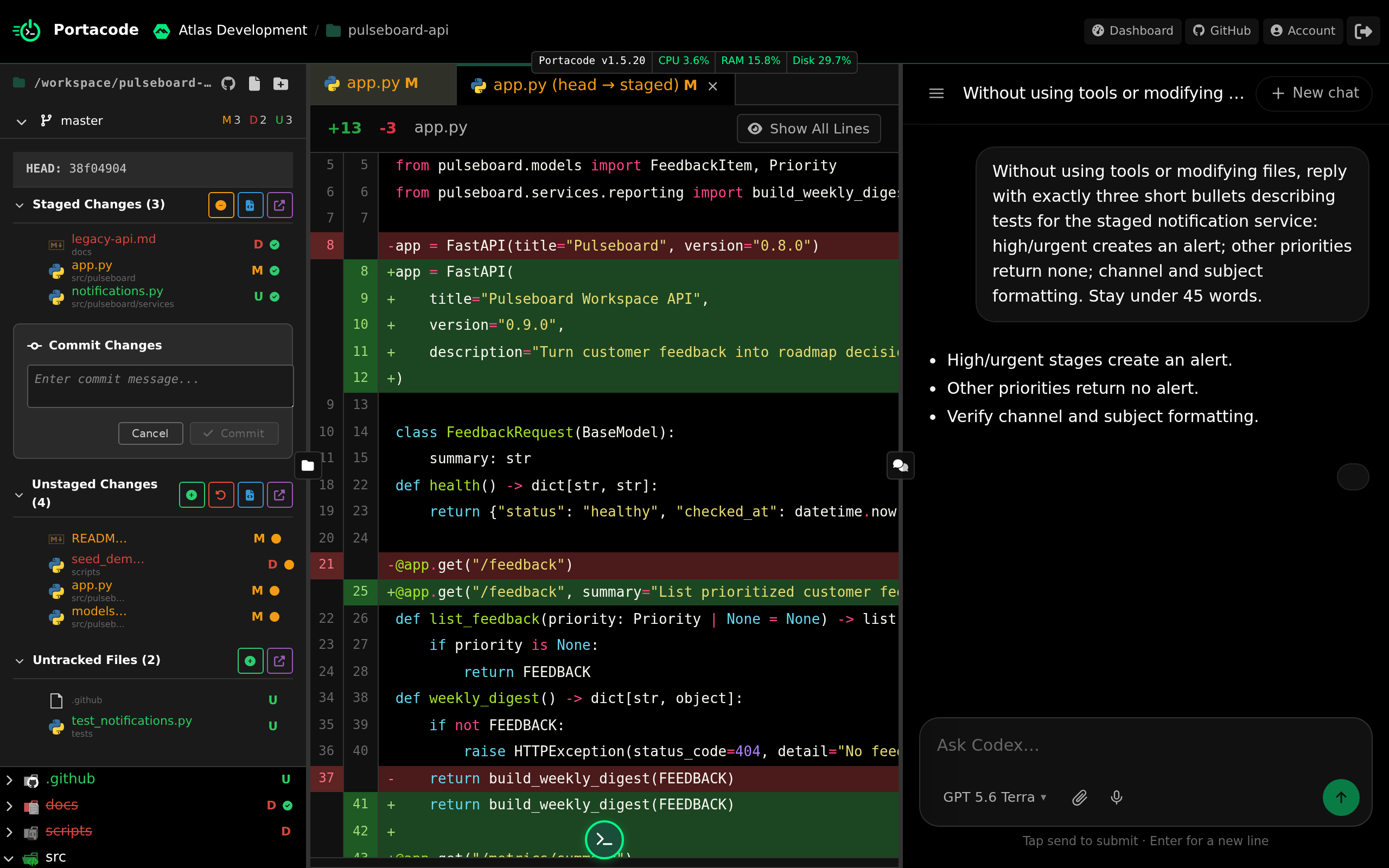
Portacode pairs persistent agent computers with an interface for ongoing agent work. It also brings custom business apps, website hosting and business email into that operating environment.
For a solo operator or small team, that is relevant when the agent needs to work alongside a customer app and email rather than run as an isolated script. Check the chosen environment, capacity and usage for your workload.
- Why choose it
- You need persistent agent work connected with your small business’s custom apps, website and email.
- What to check
- Check the capacity and usage for your workload; ongoing operation is not unlimited compute.
Railway
An option for an agent service you have already built.
A deployment platform for application services and their supporting infrastructure.
- Why choose it
- Your agent is application code and you want a platform for deploying its services.
- What to check
- Design persistence, restart behavior and your agent interface as part of the service.
Render
A worker model for jobs that do not need incoming web traffic.
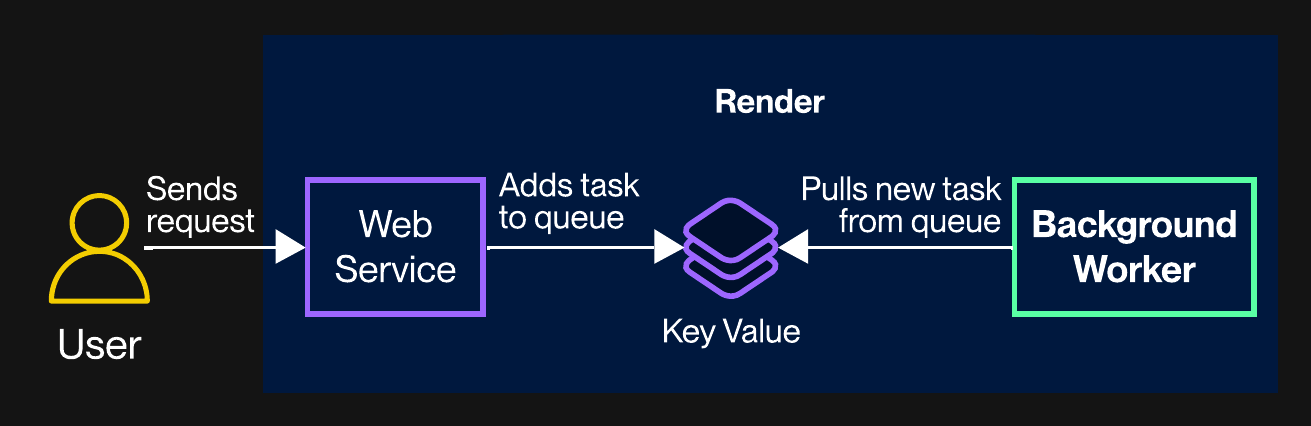
An application hosting platform whose background workers can continuously process queued tasks without receiving incoming traffic.
- Why choose it
- Your agent consumes queued jobs and you will supply the queue, task logic and interface.
- What to check
- Provide the queue, job logic and user-facing interface your workflow needs.
DigitalOcean
A virtual machine gives you a place to install your chosen runtime.

A cloud infrastructure provider offering virtual machines called Droplets, suitable for running software you install and maintain.
- Why choose it
- You want to configure the server and can maintain its software, backups and recovery.
- What to check
- You are responsible for the software and server operating procedures you choose.
BEFORE YOU CHOOSE
Try a restart before trusting a routine.
Run a harmless recurring task, save its outputs and interrupt it. Check what survives, how the next run resumes and who sees a failure. Hosting a model call is only part of operating an agent.
- Execution model A scheduled job, background worker and interactive agent may need different runtimes.
- State and recovery Know what survives a restart, where backups live and how a failed run resumes.
- Total operating cost Include model usage, compute, storage and the human time required to keep the service running.
Use the cost planner with your own quotes and usage. Persistence is useful only when recovery and operating responsibilities are clear.
Plan your agent hostingA few practical questions
Is a model API enough to host an agent?
No. An API supplies model responses. Your agent still needs a runtime, tools, state and an operating process.
Can I run an agent on my own computer?
Portacode supports connected computers as well as hosted environments. Availability depends on the machine, network and configuration you use.
Does always-on mean guaranteed uptime?
No. Check service terms and your own recovery process. Persistence and an uptime guarantee are different claims.
Are the calculator values provider prices?
No. They are editable planning inputs. Enter current quotes and measured usage, and avoid counting an included allowance twice.
KEEP READING
AI agent hosting requirements that matterEstimate the full cost of running an AI agent